
Partner help center · Your listing
Edit what the public sees
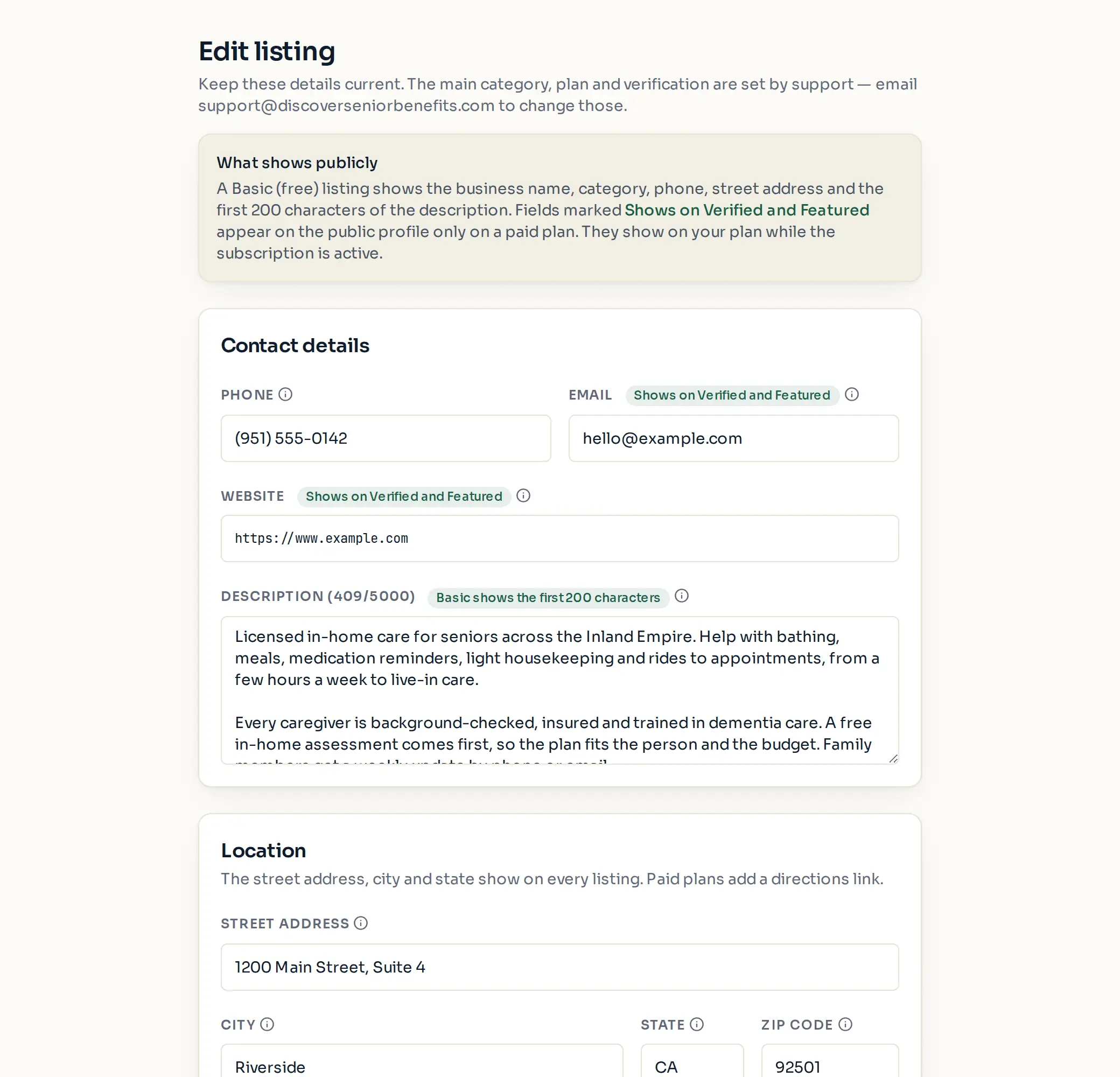
Sign in and open "Edit listing" in the sidebar. Everything you type there goes to your public listing, within the limits of your plan.
What shows on each plan
A Basic listing shows the business name, category, phone, street address and the first 200 characters of the description.
Fields marked "Shows on Verified and Featured" appear only on a paid plan. You can fill them in on a Basic listing so they are ready if you upgrade. The banner image is marked "Shows on Featured" and waits for an approved verification.
The main category, plan and verification are set by support. Email support@discoverseniorbenefits.com to change any of those.
The sections
- "Contact details": phone, email, website and the description (up to 5,000 characters; put the most important part first).
- "Location": street address, city, state and ZIP, plus "Cities served" (type a city and press Enter, up to 50).
- "Categories and services": up to 5 extra categories you also offer, and "Services offered" tags such as "Medication reminders" (up to 30).
- "Business hours": one line per day, such as "9:00 AM – 5:00 PM" or "By appointment". Leave a day blank if you are closed.
- "More about the business": years in business, languages your staff speak, accessibility notes, and links to your social pages.
- "Logo and banner": see below.
- "Service areas": the counties you serve. See the guide "Pick the counties you serve".
- Select "Save changes" at the bottom when you are done. Text changes are not saved until you do.
Logo and banner
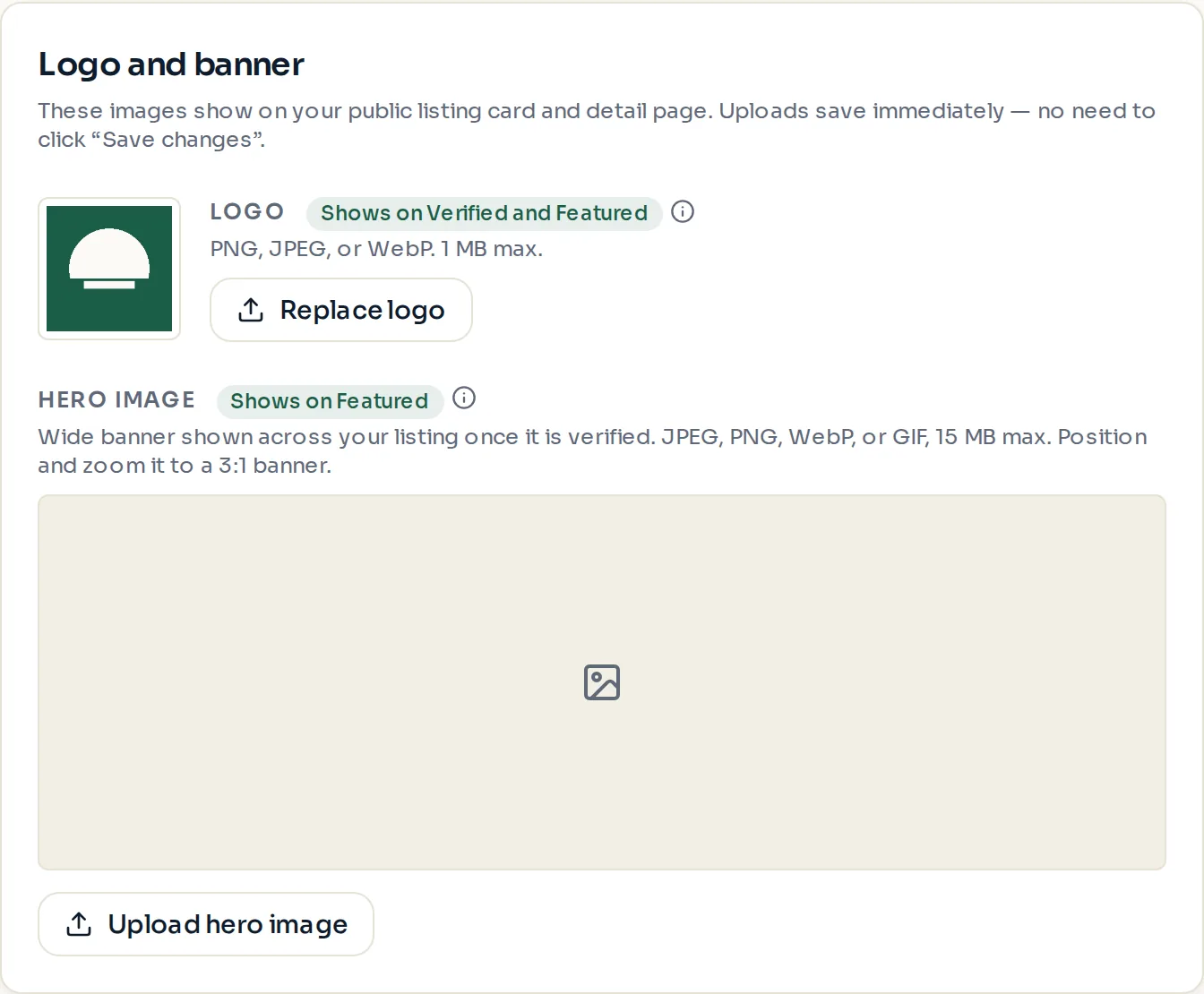
The logo shows on your listing card and profile on Verified and Featured plans. A square image on a plain background looks best.
The banner is a wide photo across the top of your profile on the Featured plan. It appears only after support approves your verification; until then the upload is saved but not shown. After you choose a file you can drag and zoom it to fit the 3-to-1 shape.
Image uploads save the moment they finish. There is no need to select "Save changes" for them.
File types and sizes
Logo: PNG, JPEG or WebP, up to 1 MB.
Banner: JPEG, PNG, WebP or GIF, up to 15 MB. It is cropped to a 3-to-1 banner, three times as wide as it is tall.
Social links must be full web addresses that start with https://.
Paid placement never changes anyone's eligibility results. Read the advertising policy.