
Partner help center · Your listing
Pick the counties you serve
Your listing appears on the benefit pages of each county you pick, and in the local-resources box for visitors in those counties. Pick only the counties where you really serve clients.
- Open "Edit listing" and scroll to "Service areas".
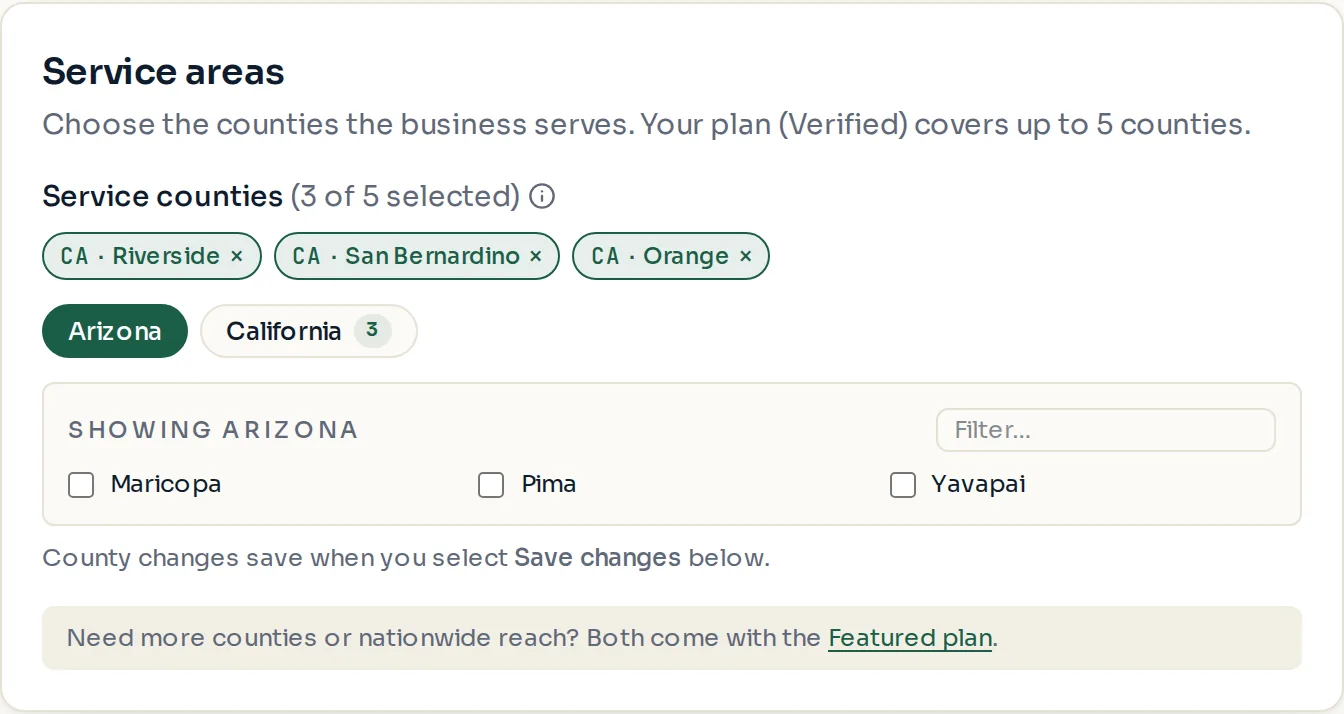
- Choose a state tab, then check each county. The counter shows how many of your plan's counties you have used.
- Select "Save changes".
Limits by plan
Basic allows one county. Verified allows several. Featured allows unlimited counties, or the whole country. The exact numbers are on the plan table in the guide "Choose a plan" and on the Billing page.
The "Nationwide coverage" switch appears only on the Featured plan. Turn it on if you serve clients anywhere by phone or online. Your listing then shows on every county page in your category.
- Downgrading to a plan with fewer counties asks you to pick which counties to keep.
- Checking counties you do not serve hurts you. Visitors there will call, find out you cannot help, and the listing can be reported.
Paid placement never changes anyone's eligibility results. Read the advertising policy.