
Partner help center · Your listing
Get the Verified badge
Verification means a reviewer checked that your business is who it says it is. The badge shows on your listing while a paid plan is active, and it is renewed every year.
What is checked
The legal business name and any other name you use; your address, phone, email and website; that you control the email domain where practical; your categories and counties; state business registration and a professional license where they apply; the person authorized to act for the business; and your acceptance of the resource standards.
If something cannot be checked online, support may ask for a document, such as a license or registration record.
How to apply
- Sign in and open "Verification" in the sidebar.
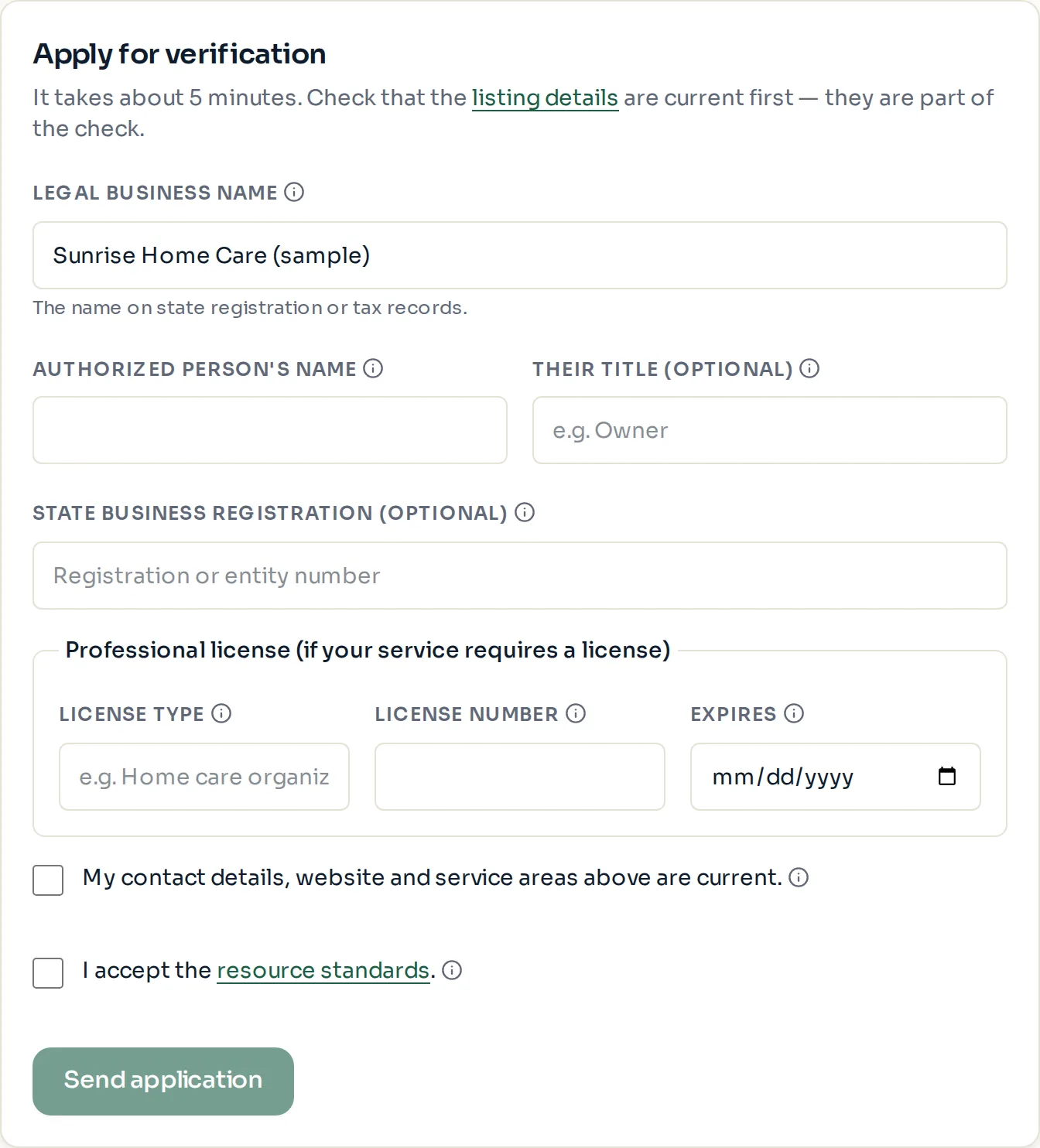
- Fill in "Legal business name" exactly as it appears on your state registration or tax records, and the "Authorized person's name" and "Their title".
- Add your "State business registration" number and your professional license type, number and expiry date, if you have them.
- Check the two boxes: one confirms your listing details are current, the other accepts the resource standards. Then select "Send application".
- The status changes to "Under review". An email with the result, or any questions, follows.
- Pick at least one county before you apply. The form stays locked until a service area is set.
- A Basic listing can apply now. The badge appears once a paid plan is active and the verification is approved.
What each status means
"Not verified yet — apply below": no application has been sent.
"Under review": a reviewer has the application. Expect an email with the result.
"More information needed": check your email for what is missing, update the form, and send it again.
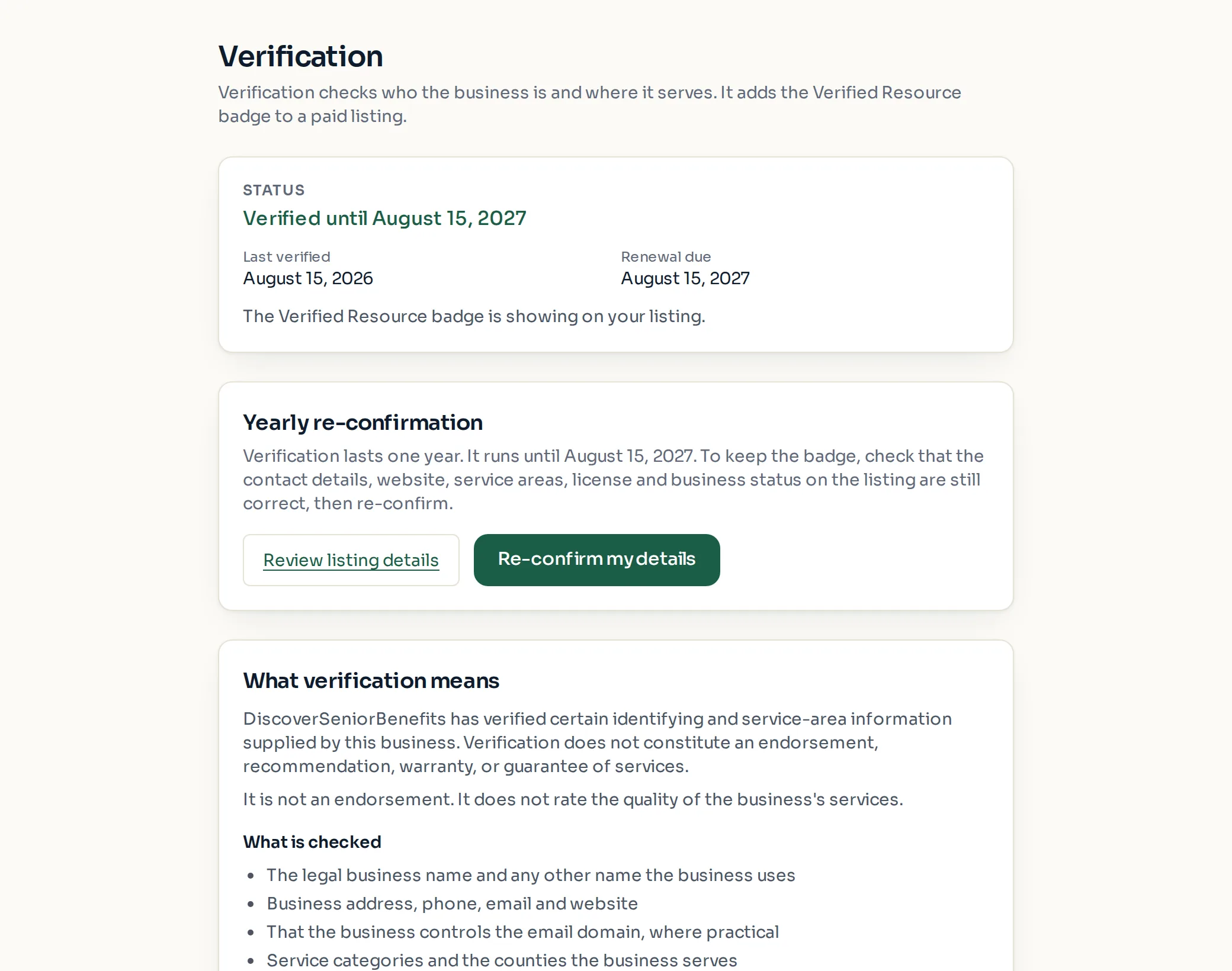
"Verified until [date]": approved. The badge shows while a paid plan is active.
"Expired — re-confirm to restore the badge": the yearly check ran out. The listing stays up; only the badge is hidden until you re-confirm.
"Not approved — contact support" or "Suspended — contact support": email support@discoverseniorbenefits.com for details.
The yearly re-confirmation
Verification lasts one year. Reminder emails arrive 30 days and 7 days before it ends, and once more on the day it expires.
To renew, check that your contact details, website, counties, license and business status are still correct on "Edit listing", then select "Re-confirm my details" on the Verification page.
When verification expires, the badge comes off but the listing, its plan and its placement above Basic listings stay as they are.
Paid placement never changes anyone's eligibility results. Read the advertising policy.