
Partner help center · Sponsor articles and the newsletter
One account for everything
A business account is keyed to one email address. A directory listing, blog sponsorships and newsletter slots under that email share one sign-in, one sidebar and one billing account.
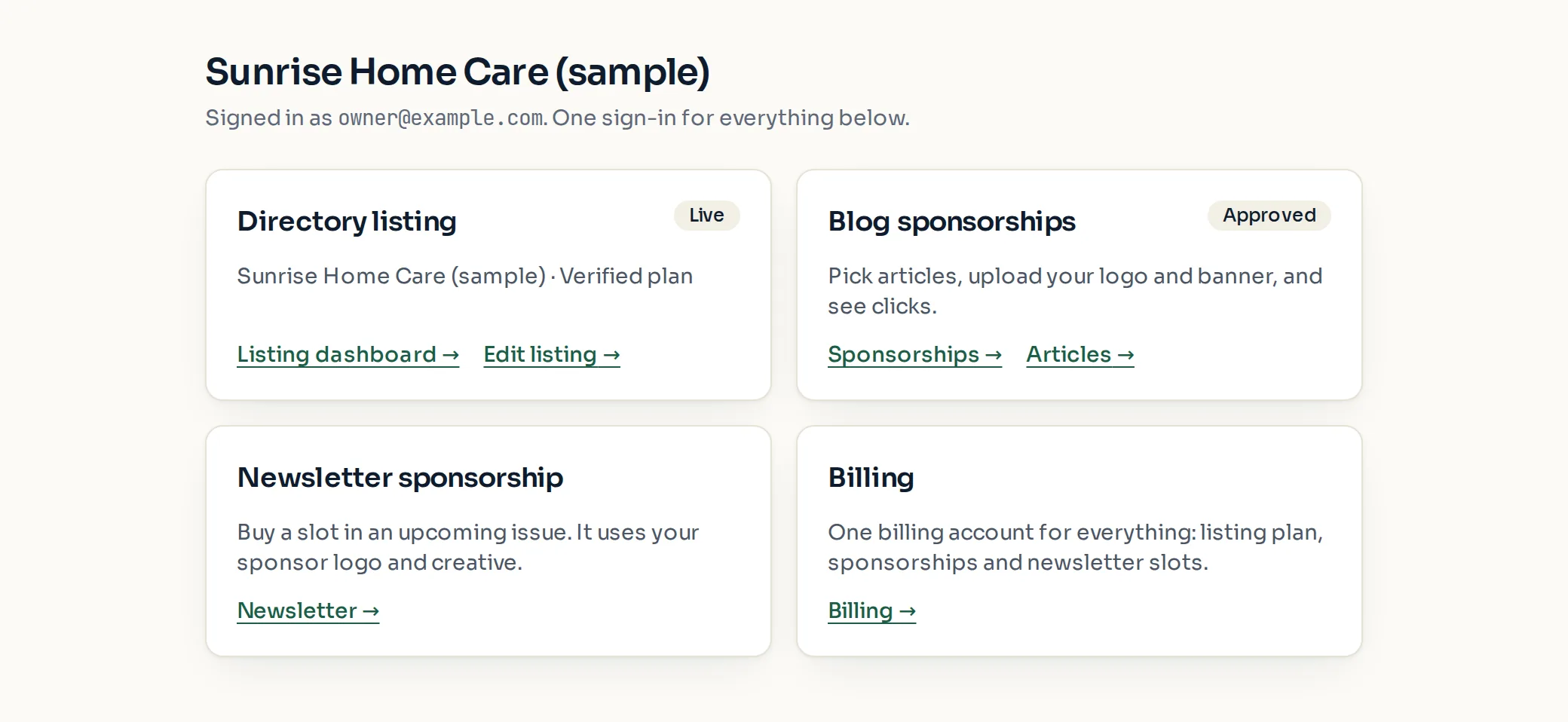
The Overview page
After you sign in, "Overview" shows one card per product. "Directory listing" reads Live, Under review, Paused or Removed. "Blog sponsorships" reads Approved or Awaiting review. "Newsletter sponsorship" and "Billing" round it out.
The sidebar shows only the sections you have. "Directory listing" holds Listing dashboard, Edit listing and Verification. "Sponsorships" holds Sponsorships, Articles, Creative and, when open, Newsletter. "Billing", "Help" and "Sign out" are always there.
Adding a product
To add a sponsorship to an account that has a listing, select "Sponsor an article" on Overview. The sign-up form arrives pre-filled with your name and email, and the new product joins the same account.
To add a listing to an account that only sponsors, select "Get listed" on Overview.
- Use the same email for everything. A different email creates a separate account with its own sign-in and bill.
- Each product is still billed on its own line: a listing plan, a per-article sponsorship, and one-time newsletter slots.
Paid placement never changes anyone's eligibility results. Read the advertising policy.