
Partner help center · Sponsor articles and the newsletter
Sponsor a blog article
A sponsorship puts a clearly labeled "Sponsored" block with your logo, banner, tagline and link on the articles you choose. You pay one monthly price per article, and you can add or remove articles at any time.
From sign-up to a live block
- Go to discoverseniorbenefits.com/for-sponsors and select "Sponsor an article". If you already have a business account, select "Sponsor an article" on your Overview page instead; the form arrives pre-filled.
- Fill in "Business name", "Email", "Category", "Tagline (optional)" and "Link URL", accept the advertising policy, and select "Create my sponsor account".
- Wait for review. "Review status" on the Sponsorships page reads "Awaiting review", then "Approved". There is no charge to be reviewed, and you can set up articles and creative while you wait.
- Open "Articles", select the articles you want, then select "Pay now". It is disabled until the review is approved.
- Complete the Stripe Checkout. Your block appears on the chosen articles within a minute or two.
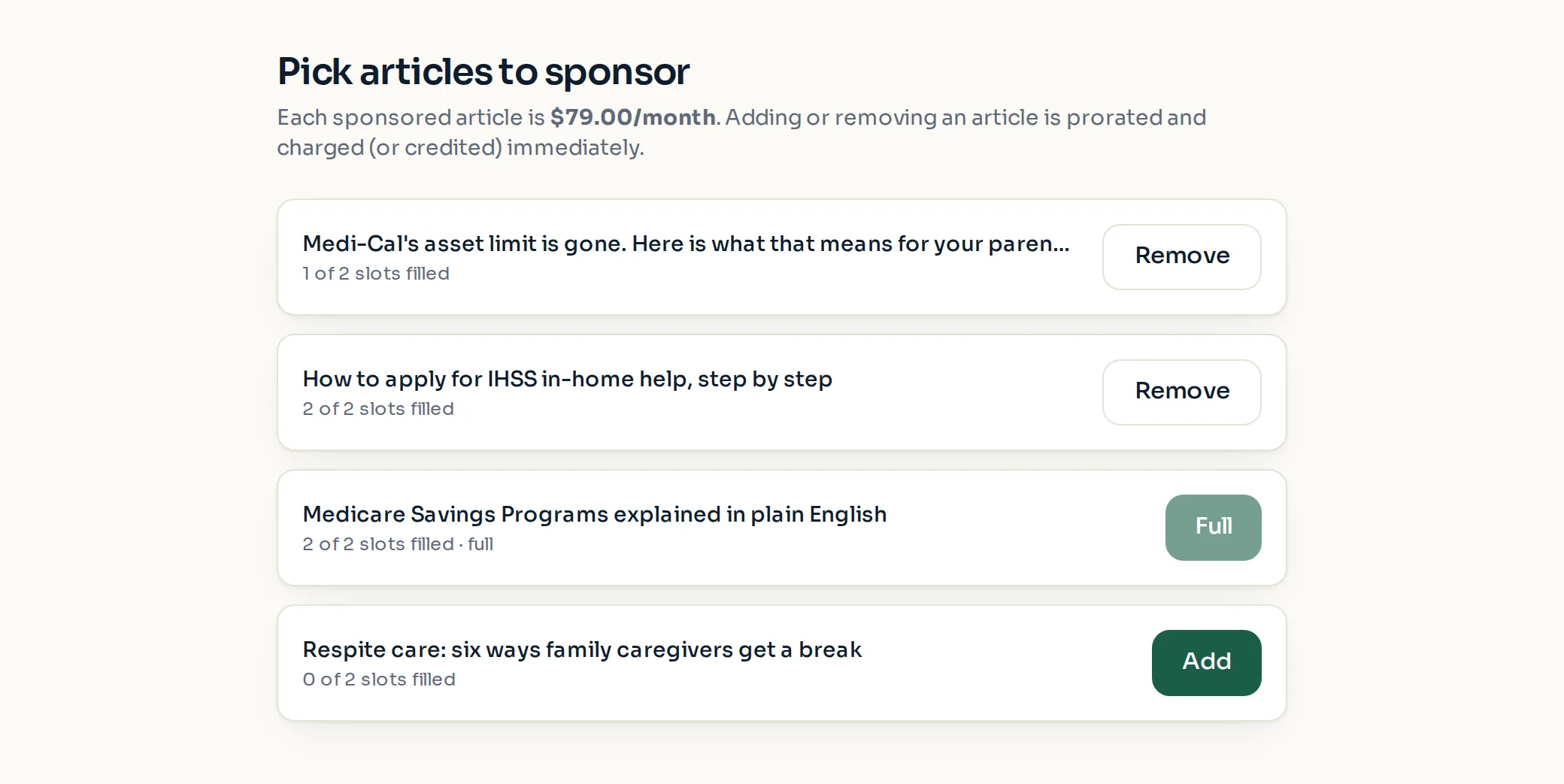
Your numbers
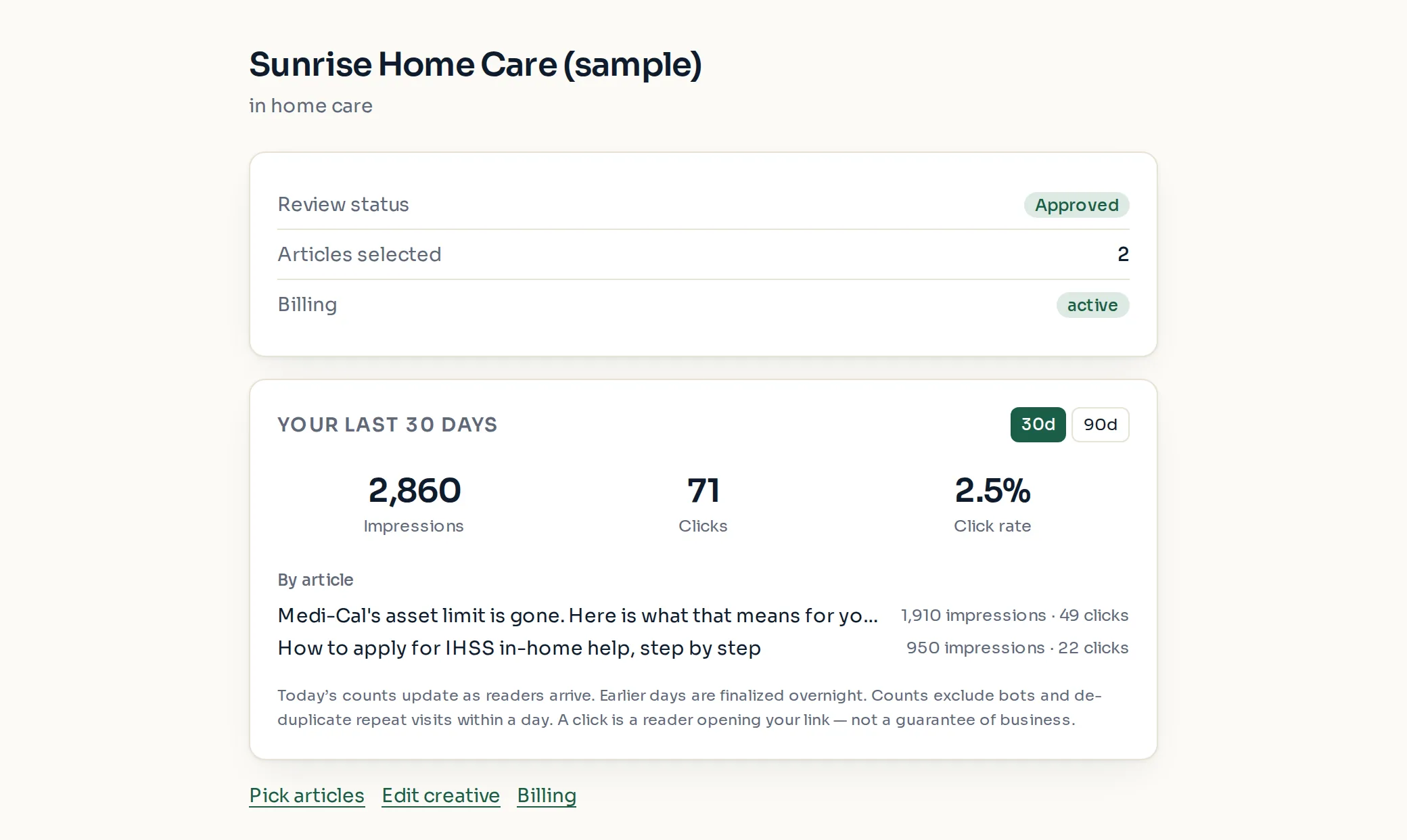
The Sponsorships page shows "Review status", "Articles selected" and "Billing", then your impressions, clicks and click rate for the last 30 days, with a line per article.
Counts only. You never see who read an article or clicked.
What a sponsorship does not buy
The block is always labeled as sponsored, always sits apart from the article text, and never appears in benefit results or changes them.
Articles are written independently. Sponsors do not review, edit or suggest article content.
Only categories that serve seniors are accepted, and the same excluded list applies as for directory listings.
Paid placement never changes anyone's eligibility results. Read the advertising policy.