
Partner help center · Sponsor articles and the newsletter
The sponsorship monthly report
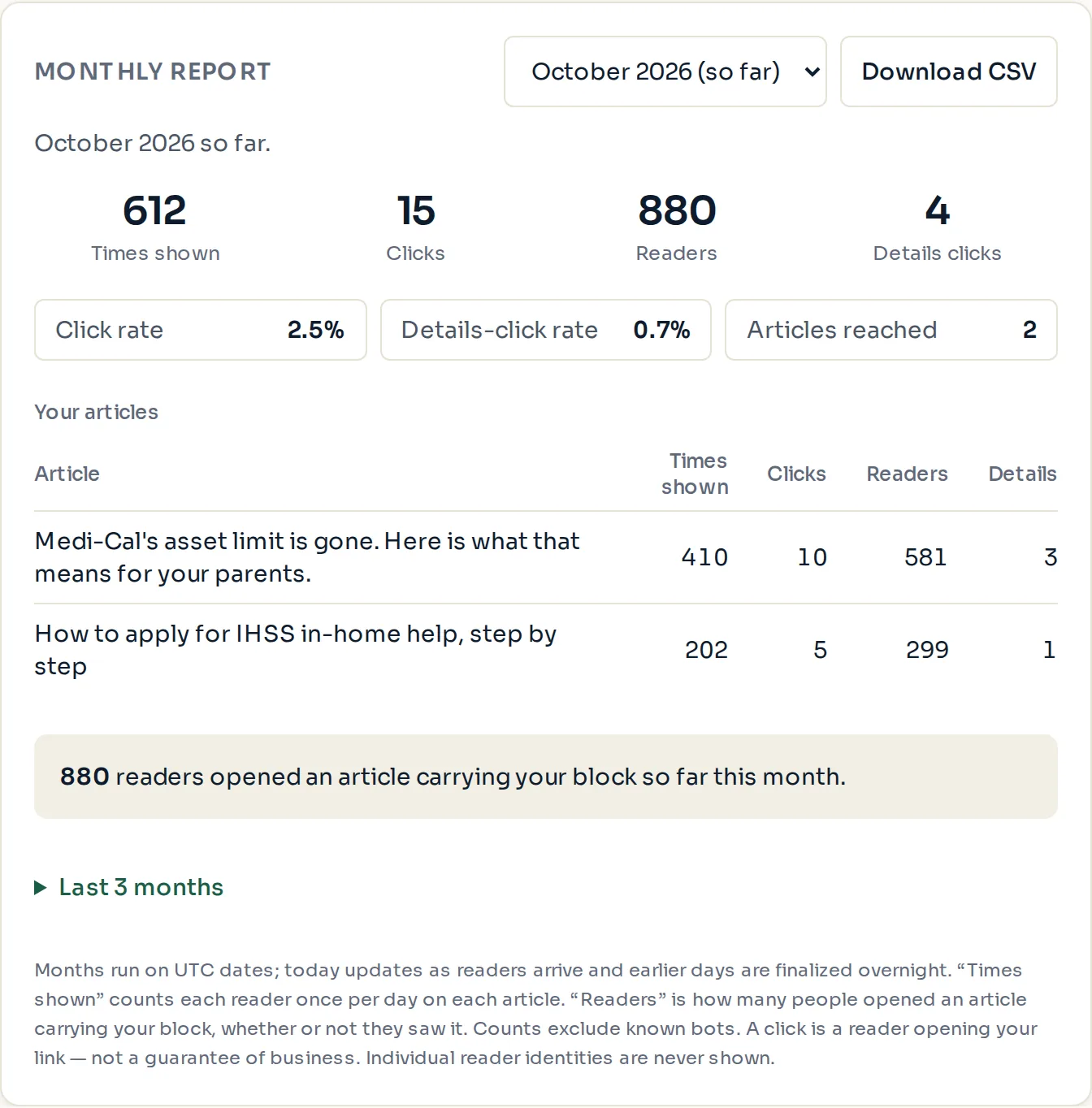
The "Monthly report" card on the Sponsorships page shows one calendar month at a time: how often your block was shown and clicked, how many readers your articles had, and which articles did the work.
Reading a month
- Pick a month from the drop-down at the top of the card. The current month is marked "(so far)" and its numbers are still growing; today's readers show as they arrive.
- The line under the picker names the month and, for a finished month, the month it is compared with. A month in progress is never compared with a full one.
- Four numbers follow: "Times shown", "Clicks", "Readers" and "Details clicks". Under each, for a finished month, a line such as "Up 12% from last month".
- Three boxes: "Click rate" (clicks divided by times shown), "Details-click rate" (shown as "—" when there were none) and "Articles reached".
- "Your articles" lists each article with its times shown, clicks, readers and details clicks. An article you have just added appears at zero rather than not at all.
- The grey box at the bottom repeats how many readers opened an article carrying your block that month.
- Select "Last 12 months" to see every month in one table; selecting a month name opens it above.
- Select "Download CSV" to save all months in one file, with a pair of columns per article.
The emails
In the first week of each month, a "Monthly report" email brings last month's numbers. Turn it off or on with "Send a monthly performance report" under "Monthly report email" on the Sponsorships page. Months with nothing to report are skipped.
A short "Your week" email arrives on Mondays when there was something to report. To stop it, reply to the email.
Paid placement never changes anyone's eligibility results. Read the advertising policy.