
Partner help center · Sponsor articles and the newsletter
Sponsor a newsletter issue
Each newsletter issue carries one clearly labeled sponsor message with your logo, tagline and link. You pay once per issue, not monthly.
- Sign in and open "Newsletter" in the sidebar. It appears once your sponsor account exists and the newsletter is open for sponsorship.
- Select "Sponsor an upcoming issue" and complete the Stripe Checkout. The price per issue is shown on the page.
- Your slot appears in the table below with its status. Once the issue is sent, the "Clicks" column shows how many readers clicked through.
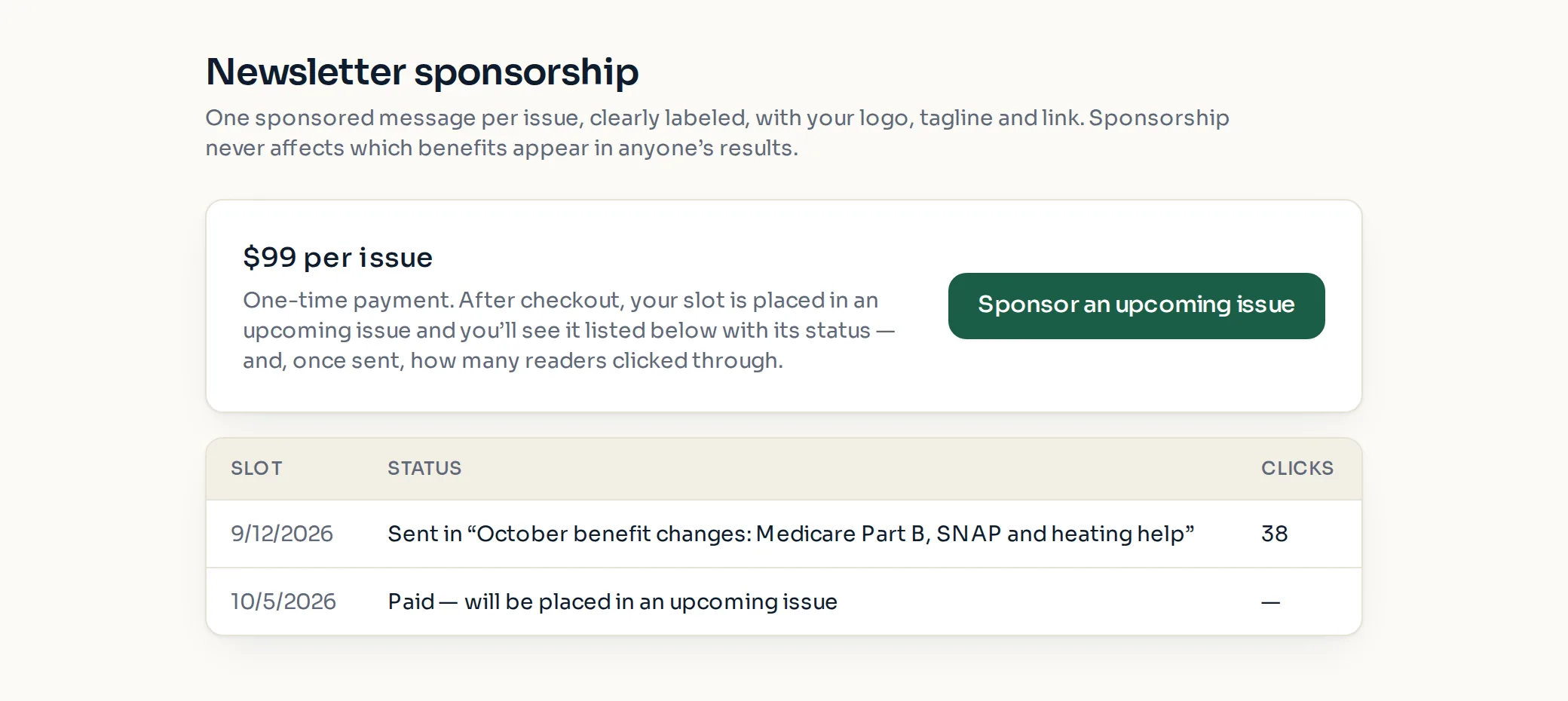
Slot statuses
"Awaiting payment": checkout was started but not finished.
"Paid — will be placed in an upcoming issue": paid, waiting for the next issue to be scheduled.
"Assigned to [issue] (not sent yet)": placed in a named issue that has not gone out.
"Sent in [issue]": the issue went out. Clicks are counted from here on.
- The message uses your sponsor logo, tagline and link from the "Creative" page.
- If the page says newsletter sponsorship "isn't open right now", existing slots are unaffected and still listed.
Paid placement never changes anyone's eligibility results. Read the advertising policy.